Bindings
The core addon includes small UI scripts you can attach to common controls to keep them synced with MEDS variables.
Most binding scripts live under addons/godot_meds_core/scripts/ui/.
At a glance
- Use these scripts when you want a control to reflect a variable automatically.
- Some bindings are one-way display bindings, while others are two-way editor bindings.
variable-driven-*scripts are the current generic bindings.
Which binding should I use?
| If you want to... | Use this script |
|---|---|
Toggle a BoolVariable from a checkbox | bool-driven-checkbox.gd |
Edit a ColorVariable from a color picker | color-driven-color-picker.gd |
| Show any variable as text in a label | variable-driven-label.gd |
Edit a FloatVariable or IntVariable from a slider | variable-driven-slider.gd |
Display a FloatVariable or IntVariable in a progress bar | variable-driven-progress-bar.gd |
Basic usage
- Add the target UI control, such as a
CheckBox,Label,Slider, orProgressBar. - Attach the matching script from
addons/godot_meds_core/scripts/ui/. - In the Inspector, assign the exported variable resource.
- For numeric controls, optionally configure clamping and range values on the variable resource itself.
Current bindings
| Script | Best for | Exported property | Direction |
|---|---|---|---|
addons/godot_meds_core/scripts/ui/bool-driven-checkbox.gd | CheckBox + BoolVariable | bool_var: BoolVariable | Two-way |
addons/godot_meds_core/scripts/ui/color-driven-color-picker.gd | ColorPickerButton + ColorVariable | color_variable: ColorVariable | Two-way |
addons/godot_meds_core/scripts/ui/variable-driven-label.gd | Label + any variable type | variable: BaseVariable | One-way |
addons/godot_meds_core/scripts/ui/variable-driven-slider.gd | Slider + FloatVariable or IntVariable | variable: NumericVariable | Two-way |
addons/godot_meds_core/scripts/ui/variable-driven-progress-bar.gd | ProgressBar + FloatVariable or IntVariable | variable: NumericVariable | One-way |
Binding behavior
Generic label binding
variable-driven-label.gd works with any variable type because it reads the value as a Variant and formats it with str(...).
Inspector exports:
variable: BaseVariableprefix: String = "": text added before the variable valuesuffix: String = "": text added after the variable value
prefix and suffix are simple formatting helpers for the label text. The binding converts the variable value with str(...), then builds the final label as:
prefix + str(value) + suffix
This lets you add units, labels, or surrounding text without writing a custom script.
Common label formats:
prefix = "HP: ",suffix = ""with value75becomesHP: 75prefix = "",suffix = "%"with value42becomes42%prefix = "Player: ",suffix = ""with valueRobotbecomesPlayer: Robotprefix = "(",suffix = ")"with value12becomes(12)
Use prefix when the text should appear before the value, such as a field name.
Use suffix when the text should appear after the value, such as %, HP, m, or pts.
This is useful for text like health counters, names, scores, or debug labels.
Numeric control bindings
variable-driven-slider.gd and variable-driven-progress-bar.gd both use NumericVariable.
Both scripts automatically:
- read the current numeric value on startup
- react to
value_changed(...) - react to
range_changed(...) - use the variable's
min_valueandmax_valuewhenclamp_valueis enabled - switch the slider or progress step to
1.0when the bound variable is anIntVariable
Choose variable-driven-slider.gd when the player should be able to edit the variable through the UI.
Choose variable-driven-progress-bar.gd when the UI should only display the variable.
Deprecated bindings
These older scripts still exist under addons/godot_meds_core/scripts/ui/deprecated/, but the current generic bindings are preferred.
| Deprecated script | Preferred replacement |
|---|---|
addons/godot_meds_core/scripts/ui/deprecated/float-driven-label.gd | addons/godot_meds_core/scripts/ui/variable-driven-label.gd |
addons/godot_meds_core/scripts/ui/deprecated/string-driven-label.gd | addons/godot_meds_core/scripts/ui/variable-driven-label.gd |
addons/godot_meds_core/scripts/ui/deprecated/float-driven-slider.gd | addons/godot_meds_core/scripts/ui/variable-driven-slider.gd |
Example setups
Label bound to any variable
Create a variable resource such as robot-name.tres using FloatVariable.
Attach variable-driven-label.gd to the label and set:
variable = robot-name.tressuffix = "rotation: "
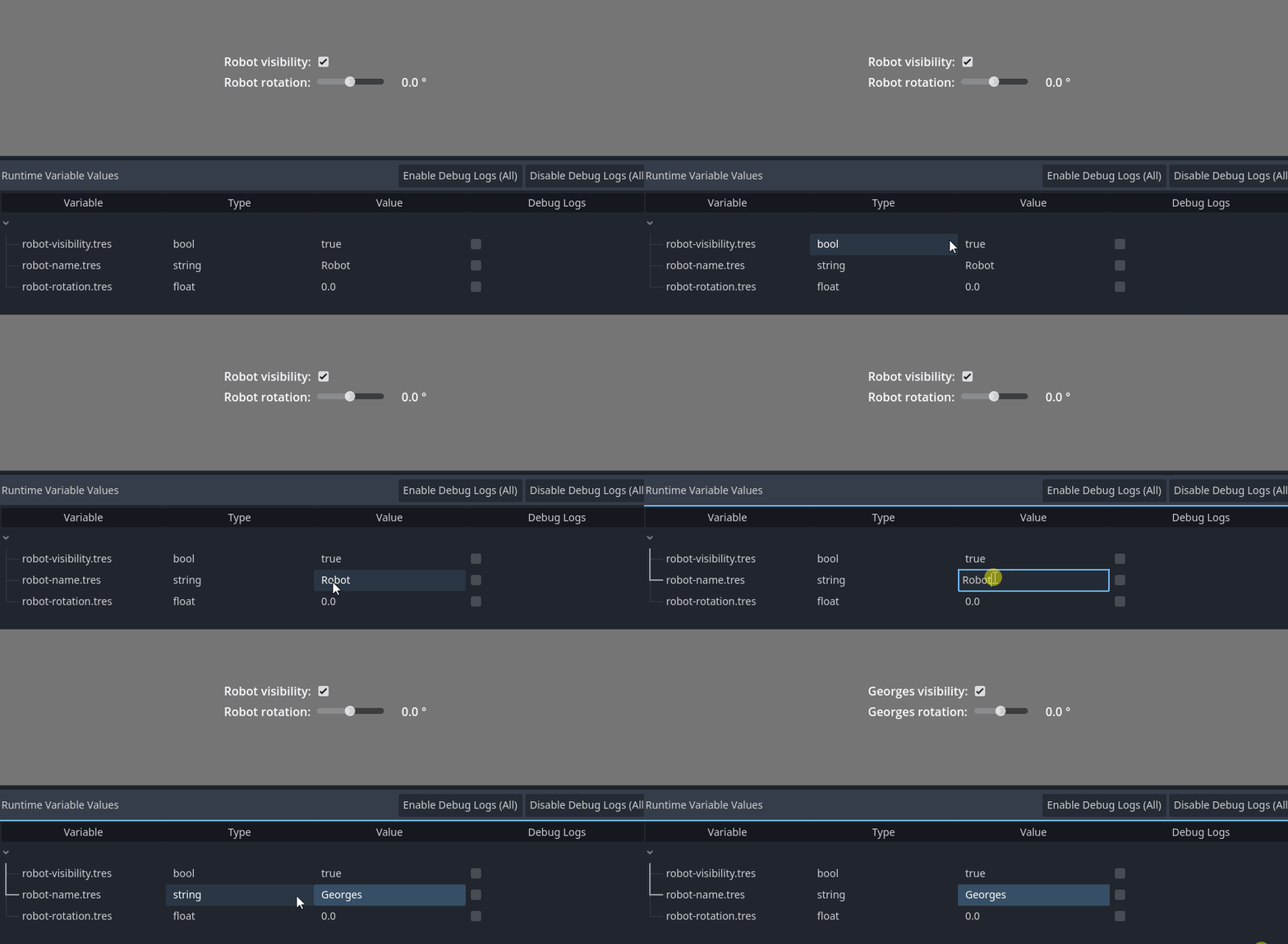
Result: if the variable value is Georges, the label shows Georges rotation: .
Slider bound to a numeric variable
Create a variable resource such as robot-rotation.tres using FloatVariable.
Attach variable-driven-slider.gd to the slider and set:
variable = robot-rotation.tres
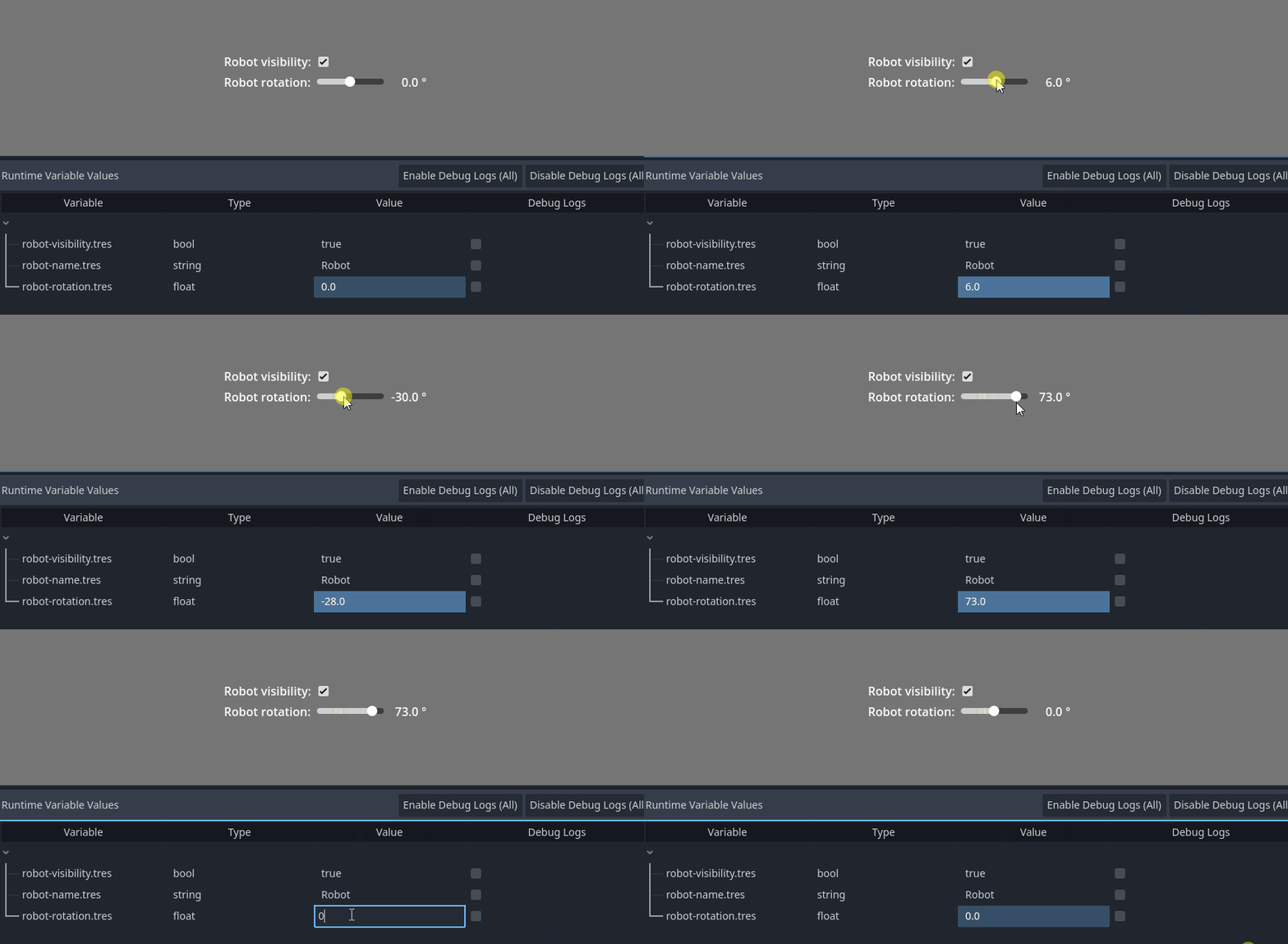
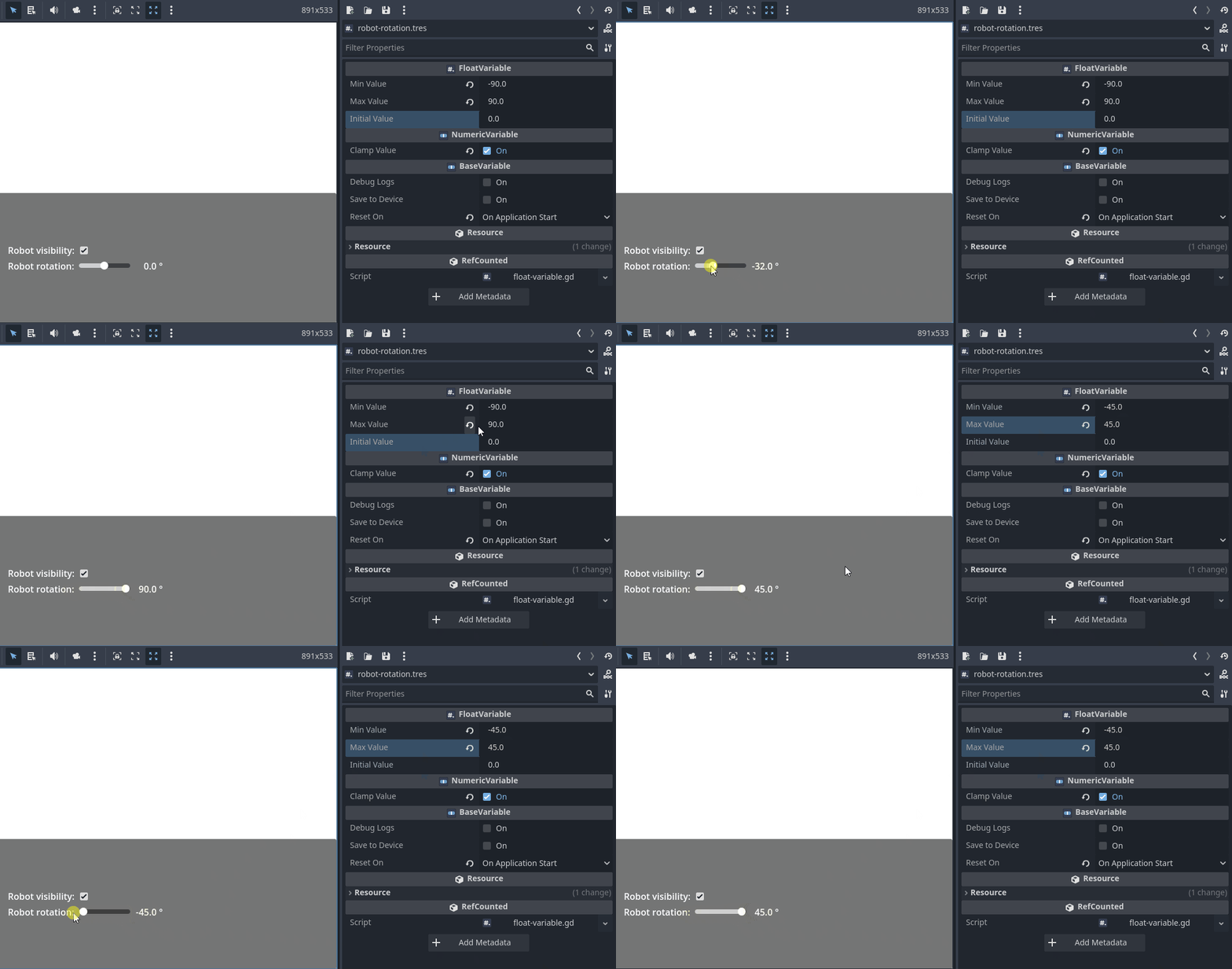
If robot-rotation.tres has clamp_value enabled, the slider range follows that variable's min_value and max_value automatically.
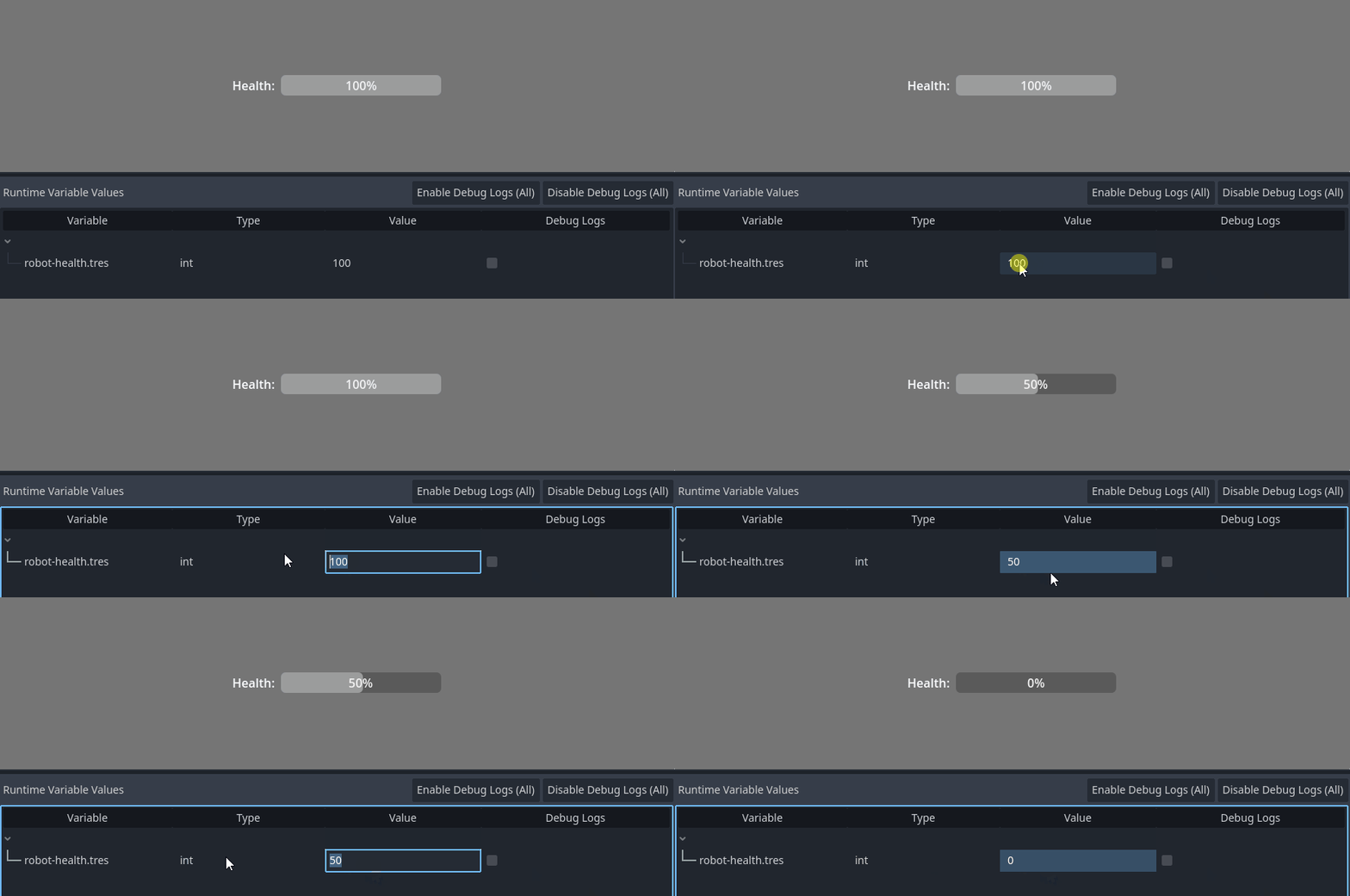
Progress bar bound to a numeric variable
Create a variable resource such as robot-health.tres using IntVariable or FloatVariable.
Attach variable-driven-progress-bar.gd to the progress bar and set:
variable = robot-health.tres
If health.tres has clamp_value enabled, the progress bar uses the same min_value and max_value as the variable.
Notes
bool-driven-checkbox.gdandcolor-driven-color-picker.gdexpect their exported variable to be assigned before_ready()runs.variable-driven-label.gd,variable-driven-slider.gd, andvariable-driven-progress-bar.gdguard against a missing variable more gracefully, but they are still most useful when the resource is assigned.- Two-way bindings call
set_value(..., self)so the variable can track the caller.